

The free publication explains the architecture. Pro installs it: the Doctrine archive, the ten-chapter GTM Strategy Course, the Blueprint Session, the searchable Pro Library, and the GTM Vault MCP.
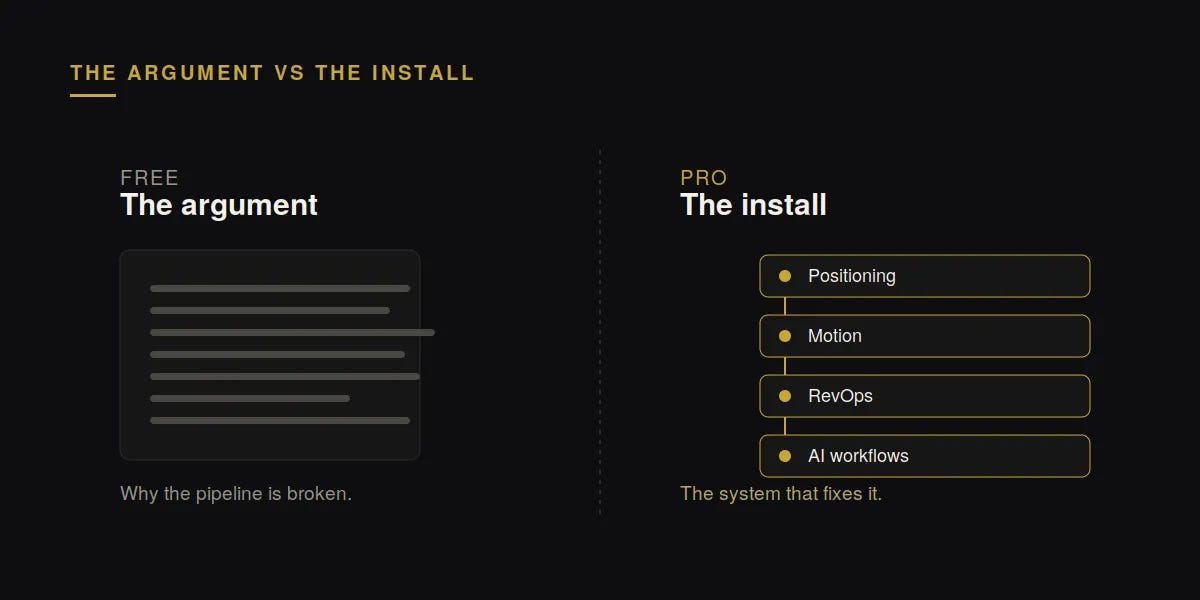
The free publication is the argument. Every week it makes the same case from a different angle: revenue problems at working companies are structural, not effort problems. When the product works and the pipeline does not, the constraint is the architecture, not the activity.
Reading the argument is not the same as installing the system. That is the line Pro crosses.
Free readers get the doctrine. Pro members get the frameworks, the configs, the diagrams, and the sequencing behind it, the instructions for building the motion instead of the description of why it works. If the essays have told you what is broken, Pro is where you fix it.
“A must-read for anyone driving growth, this newsletter offers sharp insights on GTM strategy, covering inbound/outbound tactics, ideal customer profiles, and key growth metrics.”
— Sean Ellis, Founder of GrowthHackers
Read inside OpenAI, Anthropic, Meta, and Google, alongside more than 27,000 founders and revenue leaders running GTM systems inside their own companies.
Pro is $49 a month or $499 a year. Annual includes the Blueprint Session.
The Doctrine, in full
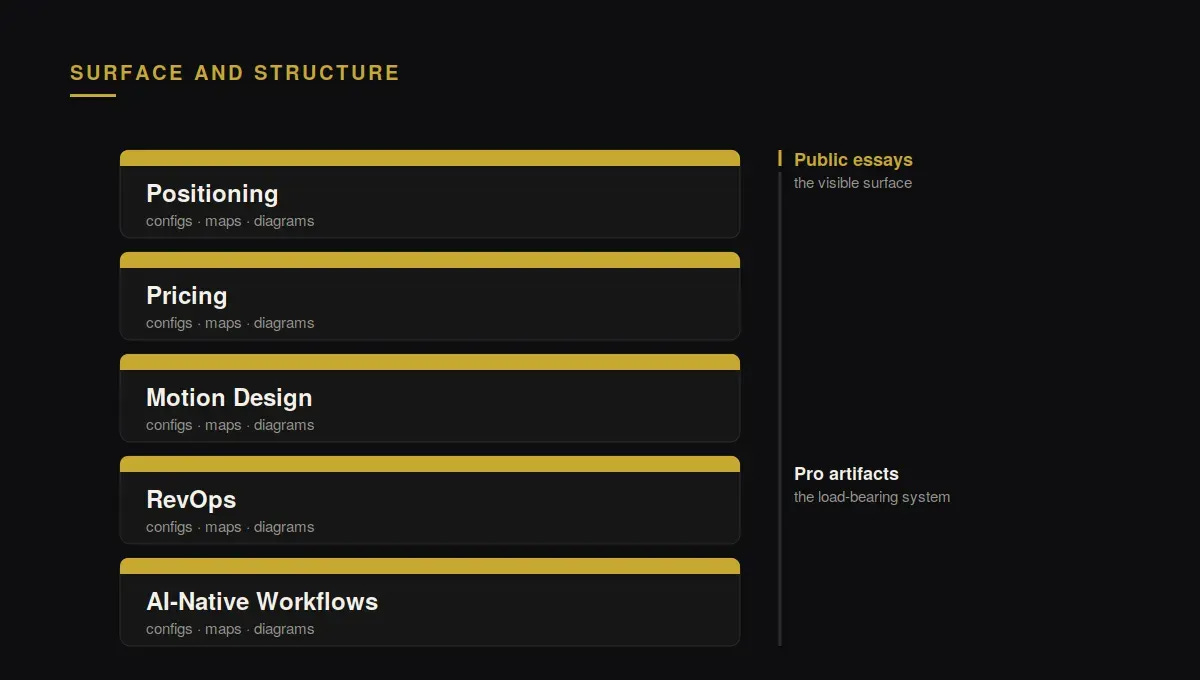
Pro opens the complete archive. Every Foundational Law, every Architecture piece, and the working artifacts underneath them: the frameworks I run, the RevOps instrumentation maps, the sequencing logic, and the diagrams that show what gets built in what order. The free essays state the principle. The Doctrine gives you the version you can install, including the parts I hold back from public posts because they only make sense with the full system around them.
The GTM Strategy Course
Ten chapters, sequenced the way the build happens. Not a library of tactics to pick from, a path. It starts at positioning and pricing, moves through motion design and RevOps, and ends at the AI-native workflows that execute the motion. The order is the point. The same tools installed in the wrong sequence produce fragmentation instead of compounding, and the course is built so you install them in the order that compounds.

The Blueprint Session
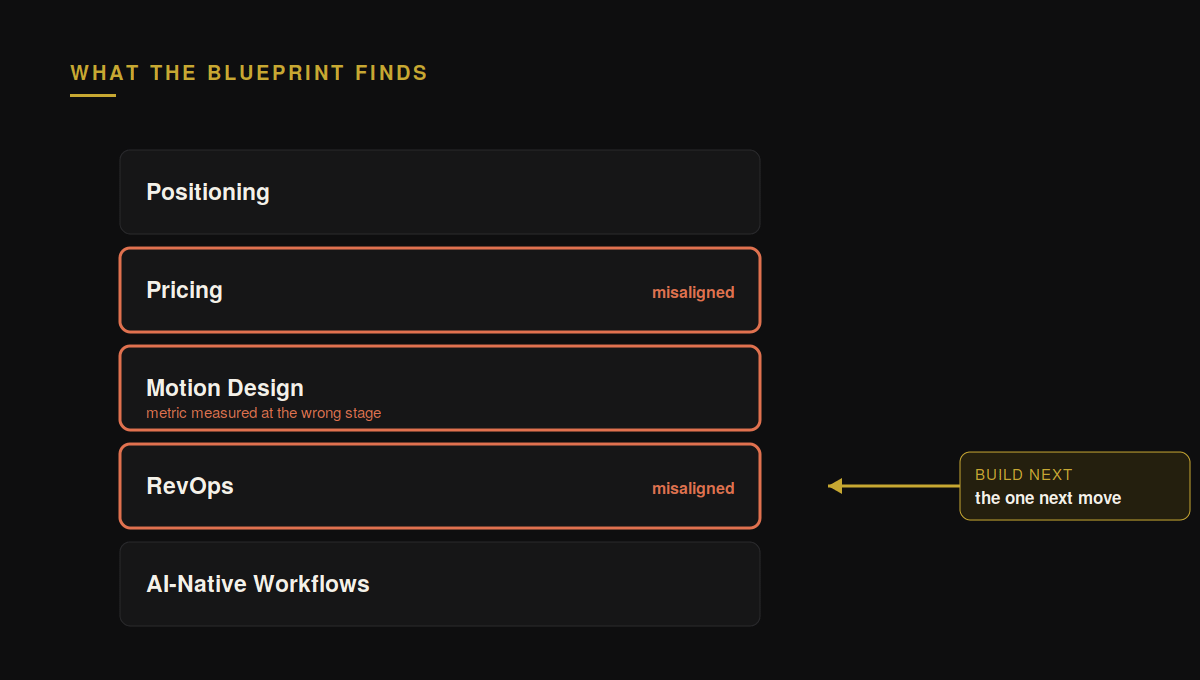
This is the reason most members upgrade. The Blueprint Session is a 45-minute diagnostic of your own revenue architecture: where the layers are misaligned, which metric you are measuring at the wrong stage, and what to build next. Upgrading to annual opens it. You will get an email with the intake form the moment your membership starts, and the form itself is the qualifier. Completing it is how the session gets scoped to your system rather than a generic call.
The Pro Library
Every GTM Vault Podcast and Show Me Your Stack episode as a written playbook, in one searchable place. Forty-nine podcast episodes and eight stack breakdowns, with the frameworks the guest argued for, the exact stack each Show Me Your Stack operator runs, and a full transcript of every episode. Search any phrase across all 57 transcripts and jump to the timestamp where it was said, or search by tool, by guest, or by problem. A tool index shows every episode where Clay, Claude Code, or Salesforce appears, so you see how three different operators wired the same tool before you wire it yourself.
Access is by subscriber email, no password. Enter the email on your subscription at pro.gtmvault.co and a sign-in link arrives.
The GTM Vault MCP
The GTM Vault MCP brings the Pro Library, The Stack Index and the revenue system audit into Claude. Ask a GTM question in Claude Chat, Cowork or Claude Code and the answer comes back with the operator who ran it, what it did in their system, and the episode where they said it, instead of the average of what vendors have written.

Every GTM Vault subscriber can connect it free and run the revenue system audit, look up any operator or tool, and get the top pick per layer from Build Your Stack. Pro opens the rest: search across every episode and transcript to the timestamp, every tool in every layer, all twenty playbooks, and 300 requests a day instead of 50.
Install takes five steps, or one command in Claude Code, and you sign in with the email you subscribe with. How the GTM Vault MCP works and how to install it.
Who this is for
This is for teams where CAC is rising, win rates are softening, or headcount is scaling faster than system coherence. Those are structural symptoms, and Pro is built to work the structure.
It is not for awareness-stage reading, and it is not for companies still searching for product-market fit. If you are earlier than that, the free publication is the right place to stay, and it is one click.
What upgrading does
Monthly or annual, upgrading opens the Doctrine and the Course immediately, and the Pro Library within 24 hours. Annual also triggers the Blueprint intake in your inbox. There is no call to book and no form to chase down. You upgrade, the system opens, and the intake finds you.
This is the step that turns the reading into a build.
Common questions
What is revenue architecture?
Revenue architecture is the structural design of a company’s revenue system: how positioning, pricing, motion design, RevOps, and AI-native workflows fit together, and in what order they get built. It is not a tool choice and not a growth tactic. Sequencing is the first decision, because the same tools installed in the wrong order produce fragmentation instead of compounding.
What does GTM Vault Pro include?
Pro is a membership, $49 a month or $499 a year. It unlocks five things: the full Doctrine archive, including every Foundational Law and Architecture piece plus the frameworks, configs, and diagrams underneath them; the ten-chapter GTM Strategy Course, sequenced in build order; the Pro Library, every podcast and Show Me Your Stack episode as a searchable playbook; the full GTM Vault MCP, which brings the library, The Stack Index and the audit into Claude; and, for annual members, the Blueprint Session, a 45-minute diagnostic of your own revenue architecture.
How do I access the Pro Library?
Go to pro.gtmvault.co and enter the email on your Pro subscription. A one-time sign-in link arrives within a minute. There is no password. New members are added to the library within 24 hours of upgrading. If you want in sooner, reply to any GTM Vault email and Rick adds you the same day. If your subscription is under a different email, use that one.
What is the Blueprint Session?
The Blueprint Session is a 45-minute diagnostic of your company’s revenue architecture: where the layers are misaligned, which metric you are measuring at the wrong stage, and the single next thing to build. It is an annual-plan benefit. The intake form arrives by email the moment an annual membership starts, and completing it is what scopes the session to your system rather than a generic call. There is no separate call to book.
Explore GTM Vault
The publication runs across six sections. Start wherever your problem lives.
GTM Vault Podcast · operators on how they built the motion.
Show Me Your Stack · the real tools and configs behind working GTM systems.
Foundational Laws · the structural principles under every AI-native GTM motion.
GTM Architecture · how the layers fit together, and in what order they get built.
GTM Playbooks · the applied builds, end to end.
GTM Library · all in one searchable place.