

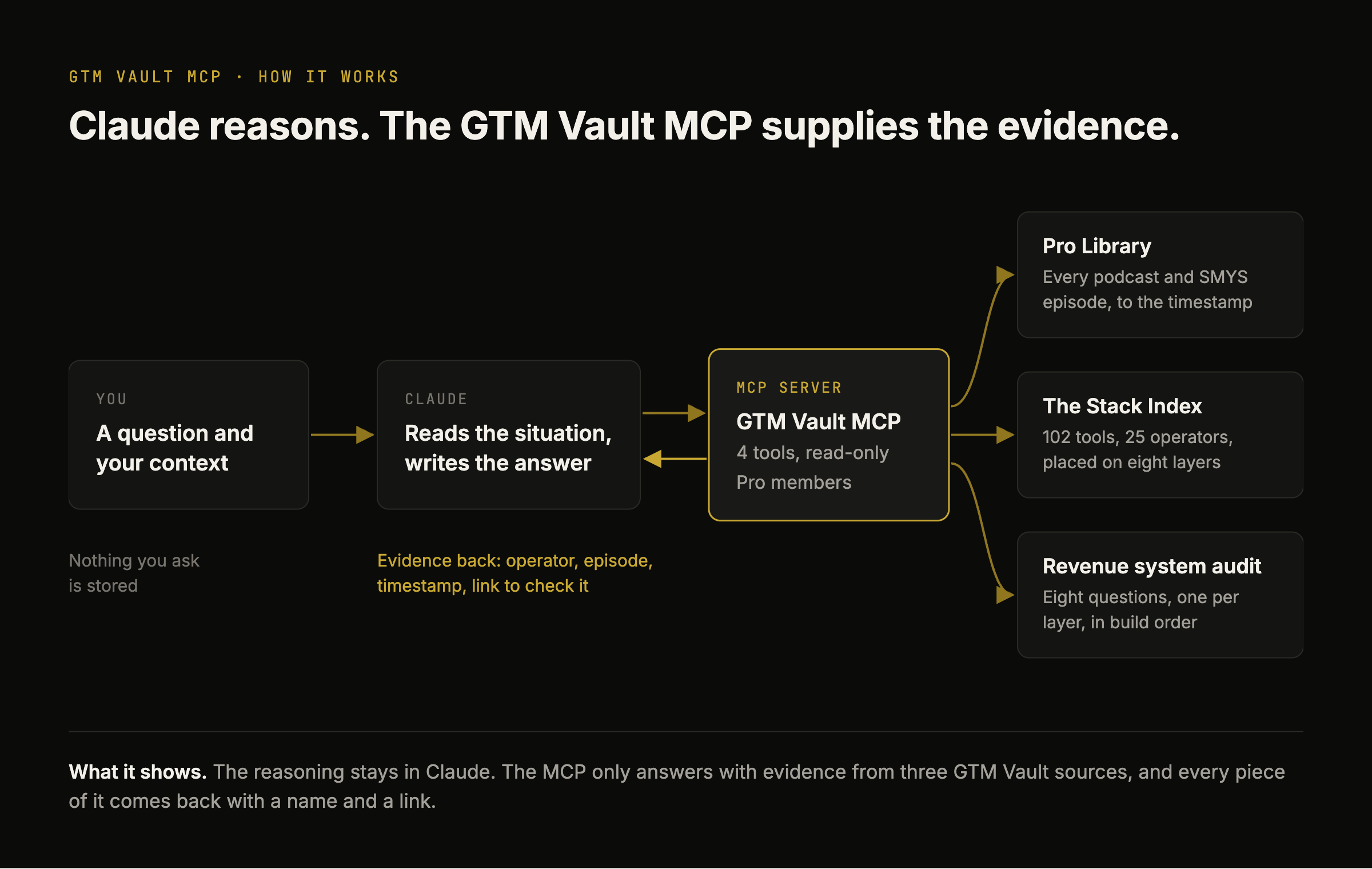
The GTM Vault MCP connects Claude to operator evidence. Add it to Claude Chat, Cowork or Code and Claude can search every GTM Vault podcast and Show Me Your Stack episode to the timestamp, run the revenue system audit on your company, and build your stack from The Stack Index. Every answer names the operator who ran the thing, the episode where they said it, and a link to check it.
Included in GTM Vault Pro, $49 a month or $499 a year. Sign in with the email on your Substack subscription.

Built on The Stack Index: 102 GTM tools, 66 of them verified by an operator who ran them, named by 25 operators across the GTM Vault podcast and Show Me Your Stack. Read inside OpenAI, Anthropic, Meta and Google.
How the GTM Vault MCP Works
Ask Claude a GTM question on its own and it answers from the average of what has been written, most of it by vendors. With the GTM Vault MCP, Claude keeps the reasoning and GTM Vault supplies the evidence: the operator who ran the tool, what it did in their system, and the episode where they said it.

What Is in the GTM Vault MCP
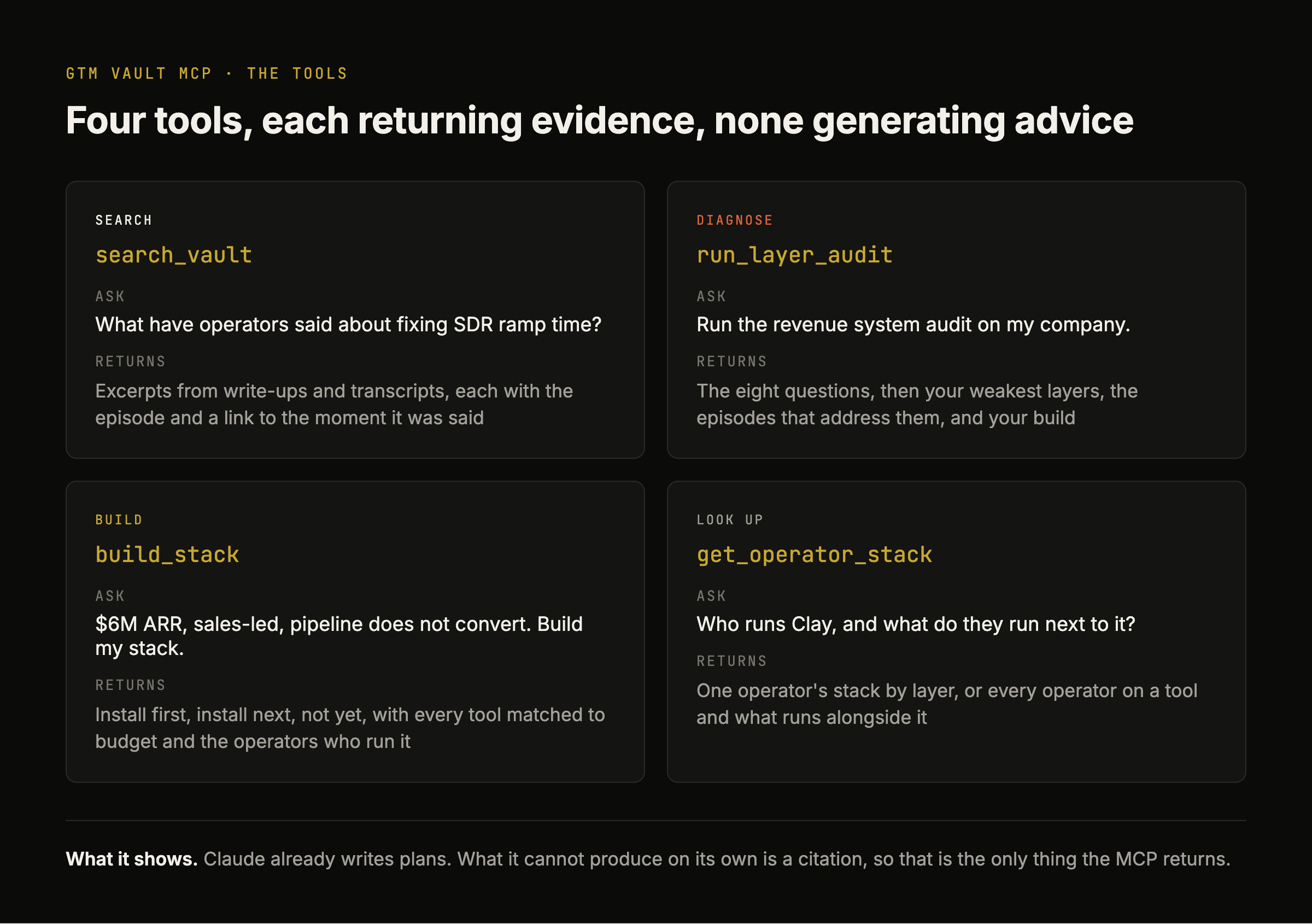
Four read-only tools. Each one returns evidence from GTM Vault; Claude does the reasoning on top. The evidence grows every time a Show Me Your Stack episode ships, because every tool a guest names lands in The Stack Index.
search_vault
Search every podcast and Show Me Your Stack write-up and transcript. Returns excerpts with the episode and a link to the moment it was said. Try: Using the GTM Vault MCP, what have operators said about fixing SDR ramp time?
run_layer_audit
The revenue system audit: eight questions, one per layer of revenue architecture, in build order. Claude answers them from what you tell it about your company and returns your weakest layers, the episodes that address them, and your build order. Try: Using the GTM Vault MCP, run the revenue system audit on my company.

build_stack
Build Your Stack from four inputs: revenue band, motion, binding constraint and budget posture. Returns what to install first, what to install next and what to defer, with every tool matched to your budget and the operators who run it. Same engine as Build Your Stack on the site. Try: Using the GTM Vault MCP, build my stack. We are at $6M ARR, sales-led, and pipeline does not convert.

get_operator_stack
One operator's full stack by layer, or every operator who runs a given tool and what they run alongside it. Try: Using the GTM Vault MCP, who runs Clay and what do they run next to it?

Prompts to Start With
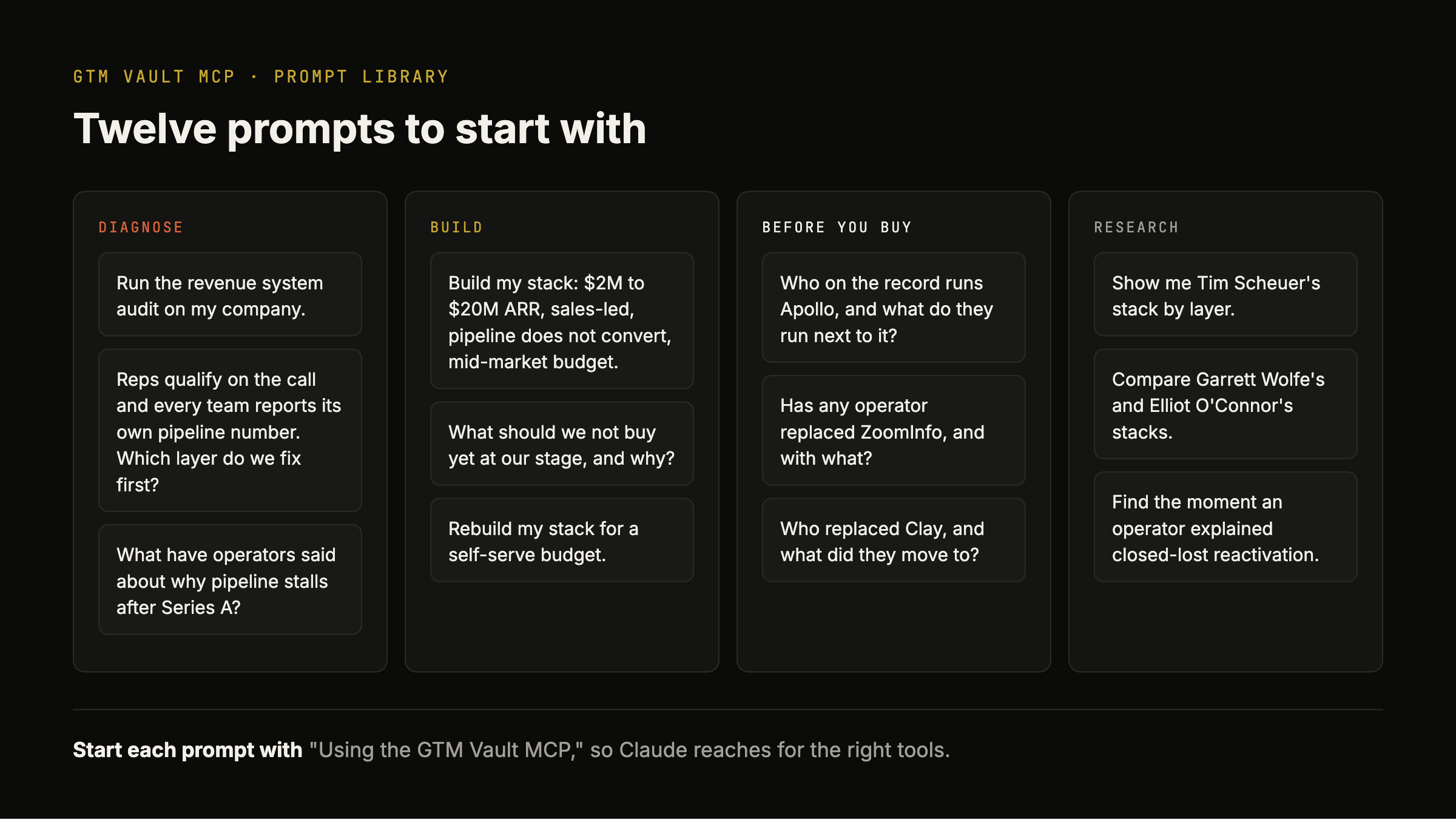
Twelve prompts, grouped by the job you are doing. Start each one with "Using the GTM Vault MCP," so Claude reaches for the right tools.
Diagnose
Run the revenue system audit on my company.
Reps qualify on the call and every team reports its own pipeline number. Which layer do we fix first?
What have operators said about why pipeline stalls after Series A?
Build
Build my stack: $2M to $20M ARR, sales-led, pipeline does not convert, mid-market budget.
What should we not buy yet at our stage, and why?
Rebuild my stack for a self-serve budget.
Before You Buy
Who on the record runs Apollo, and what do they run next to it?
Has any operator replaced ZoomInfo, and with what?
Who replaced Clay, and what did they move to?
Research
Show me Tim Scheuer's stack by layer.
Compare Garrett Wolfe's and Elliot O'Connor's stacks.
Find the moment an operator explained closed-lost reactivation.
How to Install the GTM Vault MCP
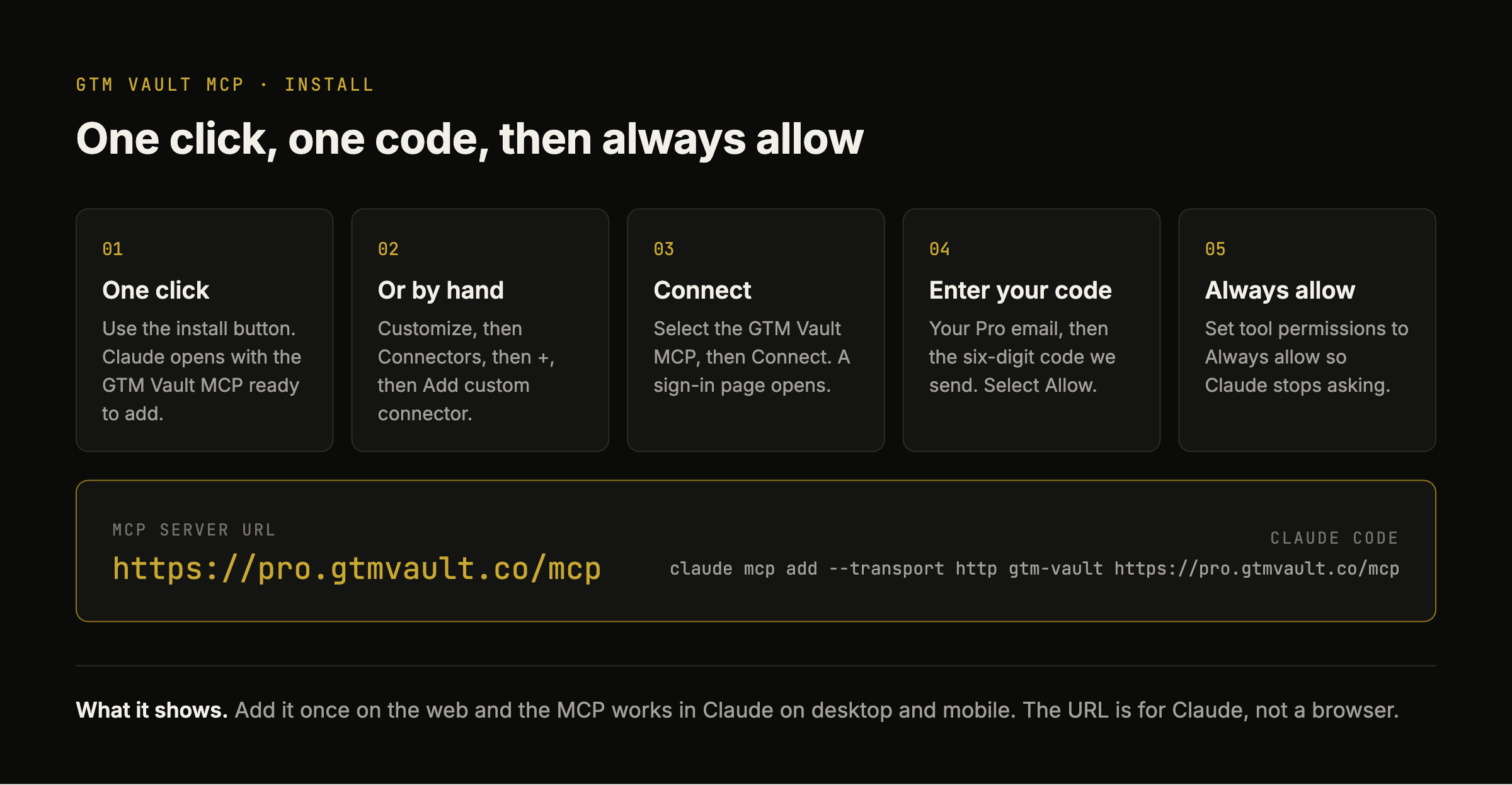
One-click install. Select here to open Claude with the GTM Vault MCP ready to add as a custom connector. This is the easiest path.
Or add it by hand. In Claude, go to Customize, then Connectors, select +, then Add custom connector. Name: GTM Vault MCP. URL:
https://pro.gtmvault.co/mcp. This address is for Claude, not a web page, so paste it rather than opening it.Connect. The GTM Vault MCP appears in your connectors list. Select it, then Connect. A GTM Vault sign-in page opens.
Sign in. Enter the email on your GTM Vault Pro subscription, then the six-digit code I email you. Select Allow and you are back in Claude with four tools connected.
Set tool permissions. Optional but recommended. Open the GTM Vault MCP in your connectors list and set tool permissions to Always allow, so Claude uses the tools without asking each time.
Claude Code. Run
claude mcp add --transport http gtm-vault https://pro.gtmvault.co/mcpand sign in when prompted.
The Operators the GTM Vault MCP Cites
Every answer traces back to an operator who described a working revenue system on GTM Vault, and the episode where they said it. These are the 25 on the record today. Each one has a page on The Stack Index with every tool they named, placed on the layer it served.

Get the GTM Vault MCP With Pro
Join 27,000+ founders and revenue leaders who subscribe to GTM Vault. Upgrade to Pro for the GTM Vault MCP, the Pro Library of every episode, the full Build Your Stack output, the Doctrine and the ten-chapter course. Annual members also get a 45-minute Blueprint Session with me that starts from their sequence.
What Is New
Every Show Me Your Stack episode. New operators and the tools they name land in The Stack Index, and the MCP returns them the same day.
28 September 2026. The GTM Vault MCP launches with four tools: search_vault, run_layer_audit, build_stack and get_operator_stack.
GTM Vault MCP FAQ
What is the GTM Vault MCP?
The GTM Vault MCP is an MCP server and Claude connector for B2B founders and revenue leaders. It gives Claude read access to GTM Vault's operator evidence: the Pro Library of podcast and Show Me Your Stack episodes, The Stack Index of GTM tools placed on the eight layers of revenue architecture, and the revenue system audit. Claude reasons about your company and uses the MCP to cite named operators, episodes and timestamps.
How do I install the GTM Vault MCP?
Use the one-click install button on this page. To add it by hand, in Claude go to Customize, then Connectors, select +, then Add custom connector, and paste https://pro.gtmvault.co/mcp. In Claude Code, run claude mcp add --transport http gtm-vault https://pro.gtmvault.co/mcp.
Which apps does the GTM Vault MCP work with?
Claude on the web, the Claude desktop and mobile apps, Cowork, and Claude Code. MCP is an open standard, but this version signs in Claude clients only, so it does not work in ChatGPT or other assistants today.
Do I need to pay to use the GTM Vault MCP?
Yes. The GTM Vault MCP is included in every GTM Vault Pro plan, monthly and annual, with no separate price. Anyone can browse The Stack Index and the complete build order on the site without paying.
How do I use the GTM Vault MCP in Claude?
Ask Claude "What tools does the GTM Vault MCP have?" or name a task and reference the MCP. For example: "Using the GTM Vault MCP, run the revenue system audit on my company" or "Using the GTM Vault MCP, build my stack." Start with the audit; it tells you which layer to fix first.
Why does it say I am not a Pro member?
The most common cause is signing in with a different email from the one on your Substack subscription. Disconnect the GTM Vault MCP in Claude under Customize, then Connectors, reconnect, and sign in with your subscription email. If you upgraded in the last few days, email rick@ritegtm.com and I will add you straight away.
Why do I not see the GTM Vault tools after connecting?
Open the GTM Vault MCP in Claude under Customize, then Connectors, and set tool permissions to Always allow. If the tools still do not appear, disconnect and reconnect to force a fresh load.
Does GTM Vault see or store my company's data?
No. What you tell Claude about your company is sent to the MCP only to answer the request, and it is not stored. GTM Vault logs which tool ran and when, to enforce a limit of 300 requests a day. The MCP is read-only and cannot change anything in GTM Vault or in your accounts.
What is a GTM MCP?
An MCP (Model Context Protocol) server connects an AI assistant like Claude to outside tools, data or expertise. A GTM MCP connects Claude to go-to-market systems or knowledge. Most GTM MCPs connect a single tool, such as a CRM or an enrichment platform. The GTM Vault MCP connects Claude to operator evidence: which tools operators run on each layer of revenue architecture, what those tools did in their systems, and the episodes where they said it.
How is the GTM Vault MCP different from the Clay MCP or the Salesforce MCP?
Tool MCPs like the Clay MCP and the Salesforce MCP let Claude read and act on your data inside one product. The GTM Vault MCP tells Claude which tools to run, in what order, and what happened when operators ran them. The two work together: tool MCPs for your data, the GTM Vault MCP to decide what to build and why. Both are on the record in The Stack Index, named by operators who run them.
Will Claude recommend tools no operator has run?
Through the MCP, no. Claude is instructed to recommend only tools The Stack Index returns, each with the operators who run it and the episode where they said so. If no operator has named a tool on GTM Vault, the MCP finds nothing on the record for it, and that absence is part of the answer.
How do I get support?
Email rick@ritegtm.com with what you tried and what Claude showed you.
Related
GTM Vault MCP: Your AI Gives GTM Advice Nobody Has Run: why I built the MCP to return evidence instead of generating plans, with three example sessions.
The Stack Index: every GTM tool operators named on GTM Vault, placed on the layer it serves.
Why Pro: everything included in GTM Vault Pro.